Check your G-code
before the first chip
DryRun runs your program on your machine — with its kinematics, the fixture, the controller's dialect and every setup of the part. Collisions and errors show up before they get expensive.
What DryRun catches before the machine does
CAM shows the toolpath. DryRun shows what happens when this program runs on a particular machine with a particular controller.
Collisions CAM does not show
The holder, the spindle head, the vise jaws, the fixture and the table are checked on every move — rapids included — against the stock as it is cut at that moment.
Your controller, exactly
Canned cycles, G28, subprograms and the lines your controller refuses are read the way DDCS V4.1, GRBL 1.1 or grblHAL reads them. Where a manual is unclear, DryRun says so.
The whole part, not one program
Several setups: after each one the stock moves on to the next already machined — as in the shop.
How it works
From a machine to a checked part in four steps, in one window.
- 01
Machine
From the catalogue or your own in the Library: meshes, the kinematic chain, axis travel, the controller.
- 02
Fixture and placement
A vise or box fixtures. Place the stock right in 3D — turn it, flip it, shift it in the jaws.
- 03
Programs and zeros
G54, G55… are found in the code. Set each zero by aligning it to the stock or by clicking a corner.
- 04
Run
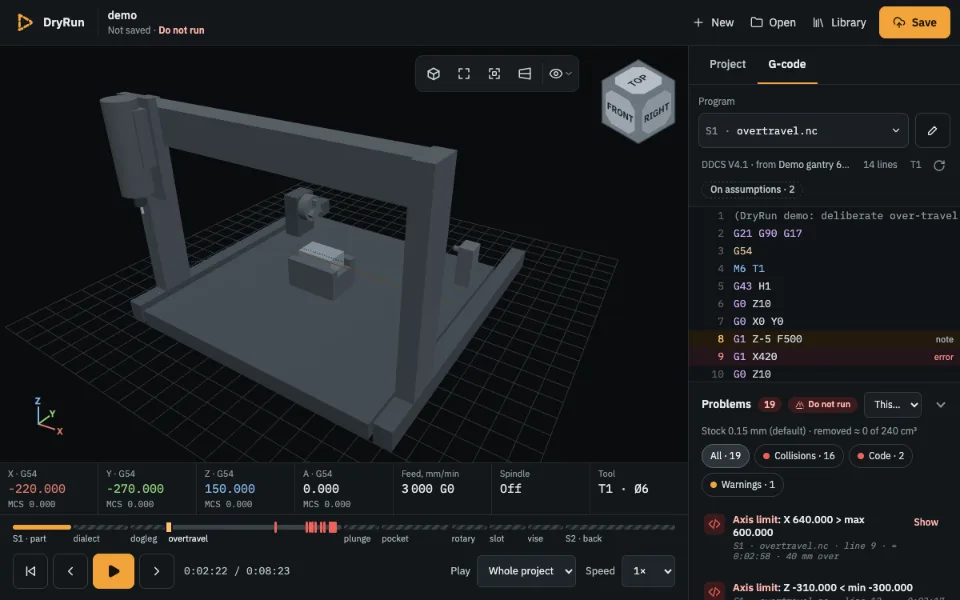
A timeline of the whole part. Every problem is tied to a line of code and a moment of the simulation.
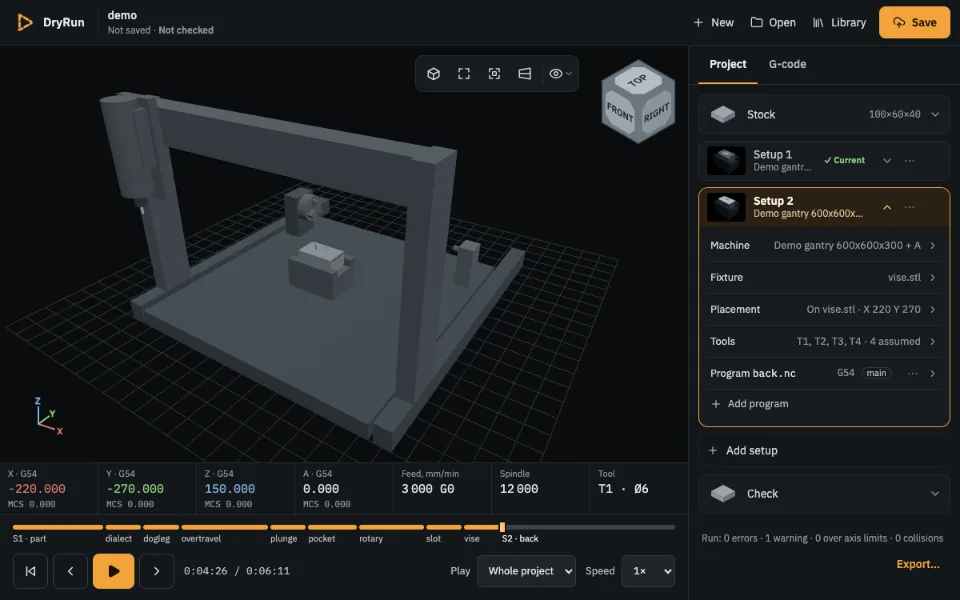
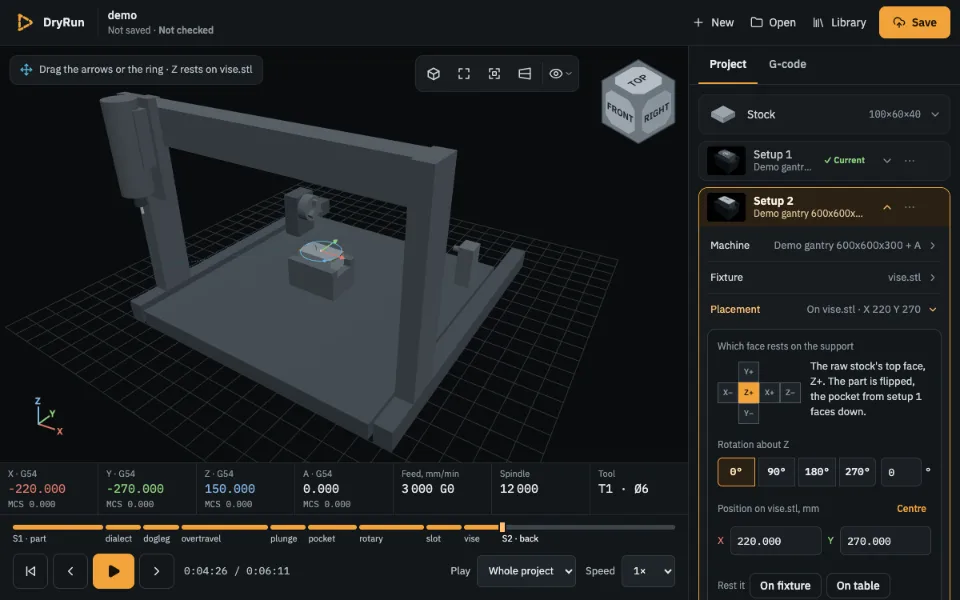
Several setups — one part
Change the first setup and the ones after it are marked stale and computed again. Placements and zeros are kept. If the face the part rests on in the jaws has changed, DryRun asks you to check the placement.
- Its own machine and fixture for every setup
- Flip and turn the part right in the viewport
- A thumbnail of the part after every setup
Every problem in one list
Collisions, code errors and warnings are collected in one place and marked on the timeline. Click one and the simulation goes to that moment, and the code shows the line.
Your machine, not an abstract one
Start from a machine in the catalogue or describe your own in the Library: meshes, the kinematic chain, axis travel and the controller. Fixtures go into the Library too.
Questions
Do I need to install anything?
No. DryRun runs in your browser and needs WebGL. It is developed and tested in desktop Chrome; opening a whole folder of programs needs Chrome.
Does it replace my CAM?
No. DryRun checks finished G-code — from any CAM or written by hand — the way a particular machine will run it.
Where are my projects stored?
In the cloud, in your account. You can work without signing in — open programs, the demo, a new project — but to save a project you sign in. Until then your programs are read in your browser and are not uploaded. What is stored.
My controller is not listed
DryRun reads DDCS V4.1, GRBL 1.1 and grblHAL today. Write to hello@dryruncnc.com with the controller's name and a sample program, and we will say what it takes to add it. Collisions and axis limits do not depend on the dialect, so you can open your programs today.
What does it cost?
Nothing: it is free while DryRun is in beta. A paid Pro tier for shops may come later; checking your programs will stay free.
Does a clean result mean the program is safe?
No. It means nothing DryRun checks went wrong on the path it computed, with the setup you described. The cutter in the stock on a feed move is not reported, and the result is only as right as your machine, offsets and tool lengths. Run new programs in air first. What is checked and what is not.
Run your next program in DryRun
No sign-up. Open a file and see the result in a minute.